
Ufone Blaze 4G Packages
If you want fast and stable home internet without relying on a mobile hotspot or a fiber connection, then Ufone Blaze 4G Packages are a strong option in Pakistan. These bundles are specially designed for Ufone Blaze devices, which work like portable WiFi routers and provide internet to multiple users at the same time.
In this guide, you will learn everything about Ufone Blaze 4G Packages, including data plans, prices, activation methods, and usage benefits. The information is explained in simple English so that anyone can understand it easily.
The Ufone Blaze 4G Packages are popular because they offer large data volumes, flexible validity, and support for multiple devices at once.
What is Ufone Blaze 4G?
Ufone Blaze is a 4G portable internet device that works like a WiFi hotspot. It allows users to connect smartphones, laptops, tablets, and smart TVs through a single SIM-based internet connection.
According to official details, the Blaze device supports up to 8 connected devices at the same time and offers stable 4G connectivity for home and office use.
The Ufone Blaze 4G Packages are specifically designed for this device and are different from normal mobile internet bundles.
Key Features of Ufone Blaze 4G Packages
The Ufone Blaze 4G Packages come with several useful features that make them ideal for home internet users:
High-Speed 4G Internet
These packages are optimized for smooth browsing, video streaming, and online meetings.
Multi-Device Support
You can connect multiple devices at the same time, including:
- Mobile phones
- Laptops
- Smart TVs
- Tablets
Large Data Limits
Blaze packages offer higher data compared to normal mobile bundles.
Portable Internet Solution
The device is lightweight and can be used anywhere with network coverage.
Types of Ufone Blaze 4G Packages
Ufone offers different Blaze bundles depending on data needs and usage duration.
Monthly Ufone Blaze 4G Packages
Monthly bundles are the most commonly used option.
Features:
- Valid for 30 days
- Medium to heavy data usage
- Ideal for home and office users
Long-Term Blaze Packages
These include 3-month, 6-month, and 12-month bundles.
Features:
- Best for long-term usage
- Lower cost per month
- Stable internet without frequent renewal
Popular Ufone Blaze 4G Packages List (2026)
Here is a simple breakdown of commonly available Ufone Blaze 4G Packages:
| Package Name | Data | Validity | Price (PKR) |
|---|---|---|---|
| New Sale Offer | 120GB | 30 Days | 1000 |
| Reactivation Offer | 60GB | 30 Days | 1200 |
| Blaze 120GB Bundle | 120GB | 30 Days | 2499 |
| Blaze 200GB Bundle | 200GB | 30 Days | 2749 |
| Blaze 300GB Bundle | 300GB | 30 Days | 2999 |
These packages also include off-peak data (usually night usage benefits from 1 AM to 1 PM in some offers).
Pricing of Ufone Blaze 4G Packages
The pricing of Ufone Blaze 4G Packages depends on data volume:
- Low-cost bundles: Around PKR 1000 (intro offers)
- Standard monthly bundles: PKR 2499 – 2749
- Heavy usage bundles: Around PKR 2999
- Long-term packages: Up to 6 or 12 months with discounted rates
This pricing structure makes Blaze suitable for both light and heavy internet users.
How to Activate Ufone Blaze 4G Packages
Activating Ufone Blaze 4G Packages is simple and can be done in different ways:
Method 1: USSD Code
- Dial activation code (example *7073#, *7074#, *7075#)
- Select your package
- Confirm subscription
Method 2: Retailer or Franchise
- Visit the nearest Ufone service center
- Recharge required amount
- Ask for package activation
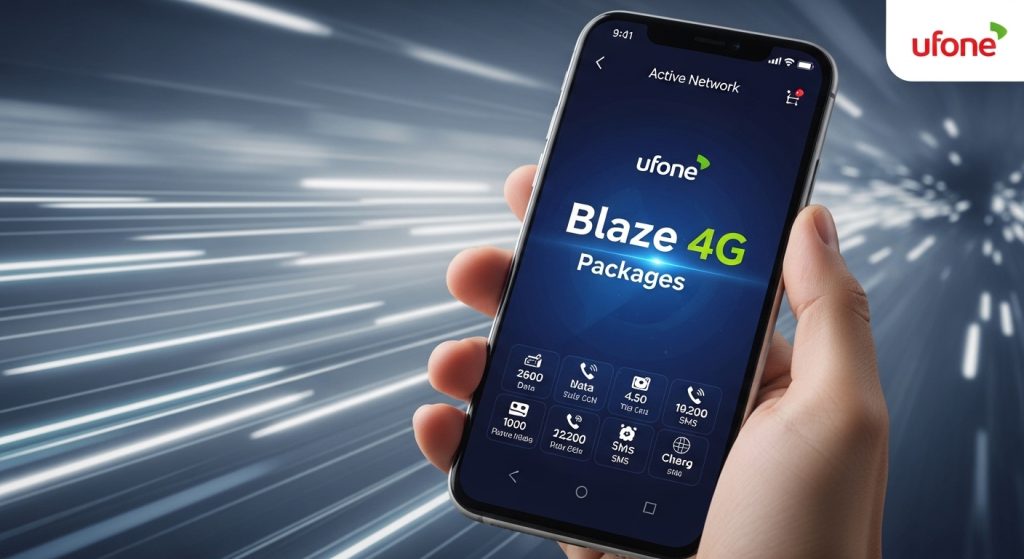
Method 3: Apps & Digital Wallets
- Use Easypaisa, JazzCash, or Upaisa
- Select Blaze bundle
- Confirm payment and activation
Benefits of Ufone Blaze 4G Packages
Affordable Home Internet
Provides large amounts of data at a reasonable monthly cost.
Stable Connectivity
Better stability compared to mobile hotspot usage.
Ideal for Families
Multiple users can use the internet at the same time.
Easy Setup
Just plug in the device and start using the internet.
Flexible Plans
Different bundles suit different usage levels.
Who Should Use Ufone Blaze 4G Packages?
These packages are best for:
- Students attending online classes
- Families needing shared internet
- Freelancers and remote workers
- Small offices and startups
- Users in areas without fiber internet
If you need stable internet for multiple devices, Ufone Blaze 4G Packages are a practical choice.
Common Issues and Solutions
Slow Internet Speed
- Check network signal strength
- Place the device near the window
- Restart device
Package Not Activating
- Ensure sufficient balance
- Retry USSD code
- Use the app or franchise method
Data Finishing Quickly
- Monitor usage regularly
- Avoid unnecessary HD streaming
- Upgrade to a higher package
Tips to Use Ufone Blaze 4G Packages Efficiently
- Choose a package based on actual usage
- Avoid background app updates
- Use off-peak hours for downloads (if available)
- Restart the device for better performance
- Monitor data through the app or the dashboard
These habits help you get maximum value from your Ufone Blaze 4G Packages.
Frequently Asked Questions (FAQ)
What are Ufone Blaze 4G Packages?
The Ufone Blaze 4G Packages are internet bundles designed for Blaze devices that provide high-speed 4G internet with large data limits for home and office use.
How many devices can use the Ufone Blaze internet?
The Blaze device supports multiple connections at the same time, usually up to 8 devices, depending on usage and signal strength.
Which Ufone Blaze 4G Packages are best for home use?
The 200GB and 300GB monthly bundles are best for home users. The Ufone Blaze 4G Packages in this range offer balanced speed and data.
How can I check the remaining data in Ufone Blaze 4G Packages?
You can check remaining data using the My Ufone App or device dashboard. The Ufone Blaze 4G Packages usage is updated in real time.
Why is my Ufone Blaze internet slow?
Slow speed can be caused by a weak signal, network congestion, or high data usage. Moving the device to a better signal area usually improves performance.